



Download Fosimo – lightweight desktop Facebook client, free and secure
Overview
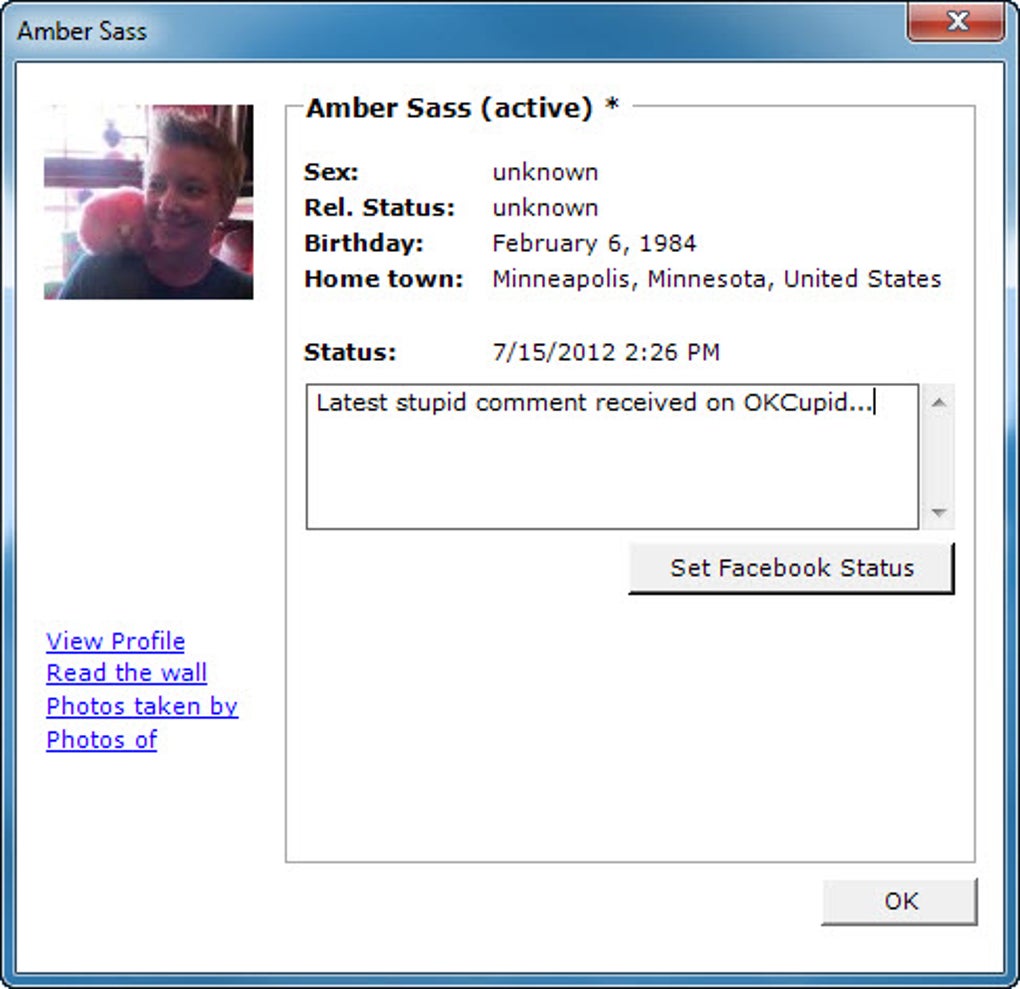
Fosimo is a straightforward desktop client designed for people who want to stay connected to Facebook without constantly opening a web browser. The program runs quietly in the background of your computer and pushes real‑time notifications whenever a friend updates their status, shares a photo, or comments on a post. With a single click you can also update your own status, making it a handy shortcut for the most frequent Facebook actions.
While the core idea is compelling – keep your social feed close at hand while you work – the implementation is intentionally minimal. Fosimo does not attempt to replace the full Facebook experience; instead, it focuses on a few essential tasks: monitoring friends’ updates, posting a short status, and opening your profile or wall in the default browser when deeper interaction is required. The application is built on a small footprint, meaning it consumes very little RAM and CPU, which is ideal for users who keep multiple programs running at the same time.
Security‑conscious users will also appreciate that Fosimo does not store your password locally; it uses Facebook’s OAuth flow, so your credentials are never written to disk. In short, if you are looking for a free, secure, and lightweight way to stay abreast of friends’ latest posts while you focus on other desktop tasks, Fosimo delivers exactly that, though it does not aim to replace the full Facebook website or the richer desktop wrappers such as Facebook for Pokki.
Key Features
- Real‑time pop‑up notifications for friends’ status updates.
- One‑click status publishing directly from the desktop.
- Quick access to your own profile, wall and photo albums (opens in default browser).
- Lightweight design – less than 15 MB download size and minimal RAM usage.
- Secure OAuth authentication – no password stored on the local machine.
- Customizable notification settings (sound, badge, duration).
- Auto‑update mechanism that checks for new versions without manual intervention.
- Supports Windows 7/8/10/11 and macOS 10.12 + (via separate installers).
Installation & Usage Instructions
Getting Fosimo up and running is intentionally simple, catering to users who may not be technically inclined. First, visit the official Fosimo download page and choose the installer that matches your operating system – a .exe file for Windows or a .dmg package for macOS. The download size is under 15 MB, so it should complete quickly even on slower connections.
Once the file is saved, double‑click the installer and follow the on‑screen prompts: accept the license agreement, choose an installation folder (the default location works for most users), and click “Install”. Windows users may be asked to grant administrator permissions; simply confirm to allow the program to copy the necessary files. macOS users will see a security warning the first time; click “Open” to proceed. After installation, launch Fosimo from the Start menu or Applications folder.
The first time you open the app, a Facebook login window appears – this is the OAuth flow that redirects you to the official Facebook login page in your default browser. Enter your credentials as you normally would; after successful authentication, Facebook will ask you to grant Fosimo permission to read your notifications and post status updates. Click “Continue” and you will be redirected back to the Fosimo client, which will now display a small icon in the system tray (Windows) or menu bar (macOS).
From there, you can right‑click the icon to access the main window, adjust notification preferences, or exit the application. Updating your status is as easy as typing a short message in the provided text field and pressing “Post”. New notifications appear as unobtrusive pop‑ups that fade after a few seconds, but you can click them to open the corresponding post in your browser for a deeper view.
If you ever need to reinstall or remove Fosimo, use the standard “Add/Remove Programs” (Windows) or drag the app to the Trash (macOS). The entire process, from download to first post, typically takes under five minutes, making Fosimo one of the fastest desktop Facebook tools available.
Compatibility, Pros & Cons
Fosimo is built for both Windows and macOS platforms. The Windows version supports 7, 8, 10 and 11 (both 32‑bit and 64‑bit), while the macOS version runs on OS X 10.12 Sierra and later. No Linux build is currently offered, although the Windows version can be run under Wine with limited functionality. The application does not require any additional frameworks such as .NET or Java, which contributes to its lightweight footprint.
Pros
- Minimal system impact: uses very little CPU and memory.
- Secure login: OAuth authentication prevents password storage.
- Instant notifications: stay updated without opening a browser.
- Free to use: no hidden fees or subscription required.
- Easy installation: straightforward installer for both Windows and macOS.
- Customizable alerts: users can adjust sound, duration, and visual style.
Cons
- Limited functionality: no chat, video posting, or in‑app browsing.
- Browser reliance: clicking on profile or photo links opens a full browser window.
- No Linux version: excludes a segment of desktop users.
- Minimal UI customization: only basic theme options are available.
- Potential API changes: depends on Facebook’s public APIs, which may be altered without notice.
Frequently Asked Questions
Is Fosimo still receiving updates?
The developers release small patches roughly every few months to address compatibility with new Facebook API versions and to fix occasional bugs. Automatic update checks are built into the client, so you’ll be notified when a new version is available.
Can I use Fosimo on a corporate PC with restricted admin rights?
Yes, the installer can be run in “per‑user” mode, which does not require administrator privileges. Choose the custom installation option and select a destination folder within your user profile.
Does Fosimo store any of my Facebook data locally?
No. Fosimo uses Facebook’s OAuth token to request only the data needed for notifications and status updates. The token is kept in memory and cleared when you exit the program, ensuring that no persistent credentials are saved on disk.
Can I customize the look of the notification pop‑ups?
Fosimo offers a few built‑in themes (light, dark, and classic) and lets you adjust the pop‑up duration and sound. Advanced styling such as custom CSS is not supported, keeping the application lightweight.
Is there a mobile version of Fosimo?
No, Fosimo is exclusively a desktop client. Mobile users can continue to use the official Facebook app for iOS and Android, which provides full functionality.
Conclusion & Call to Action
In a world where social media platforms are constantly expanding their feature sets, a focused tool like Fosimo may feel modest, but its simplicity is precisely its strength. For anyone who spends most of their day working at a computer and only needs to glance at status updates or post a quick thought, Fosimo offers a free, secure, and unobtrusive bridge to Facebook. While it lacks chat, video sharing, and in‑app browsing, the program does exactly what it promises: deliver timely notifications and enable rapid status publishing without the overhead of a full browser tab. If you prioritize a low‑impact, privacy‑respecting solution over a feature‑rich desktop wrapper, download Fosimo today and let your Facebook feed stay within reach while you stay focused on what matters most.
Fosimo shines as a lightweight, secure client for essential Facebook interactions. Its real‑time notifications and one‑click status updates are genuinely useful, especially for users who dislike juggling browser tabs. However, the lack of chat, video posting, and in‑client browsing limits its appeal for power users. Overall, it earns a solid 3.5 out of 5 stars – a reliable choice for basic needs, but not a complete desktop replacement.







